
AI Product Photography Prompts for Small Businesses
Create polished product images on a small-business budget with practical AI prompts for lighting, composition, backgrounds, and consistent campaign visuals.
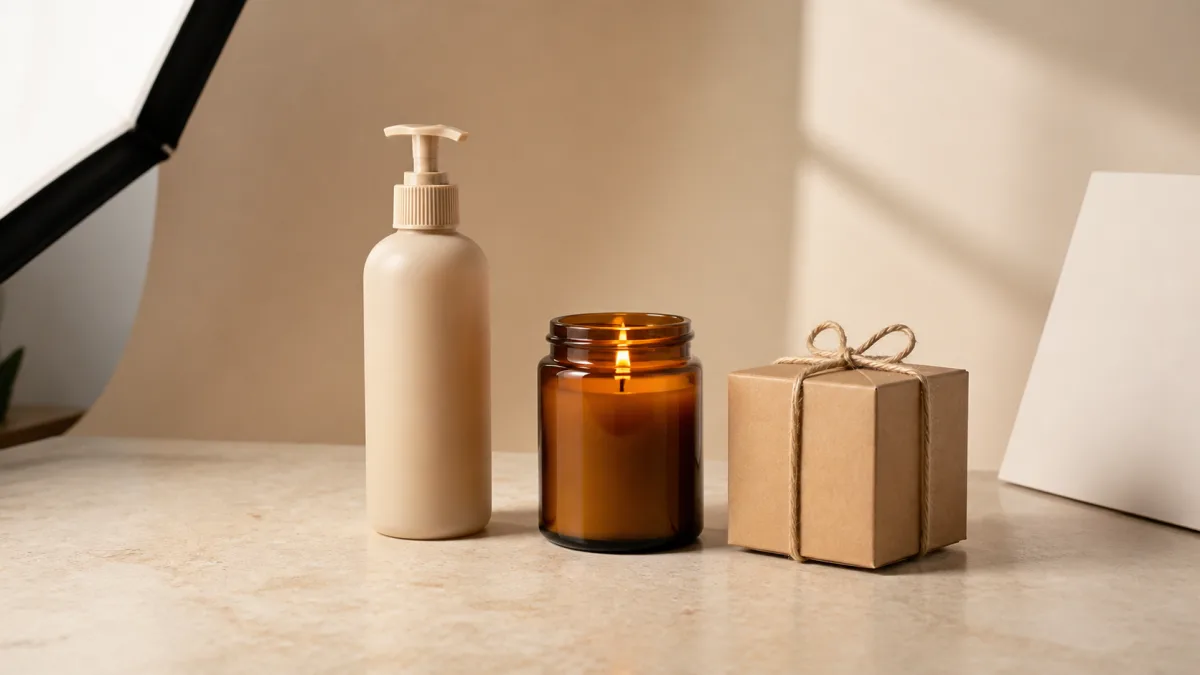
Useful AI image prompts for product photography describe the item before they describe the mood. Start with the product type, material, shape, and must-keep details; then add the surface, background, lighting direction, camera angle, and intended use. A small business can use this structure to plan clean catalog shots, social posts, seasonal ads, and lifestyle scenes without turning every prompt into technical jargon. The key is to protect product identity while changing only the surrounding creative direction. Use one clear visual goal per image, generate several options, and review labels, edges, colors, and proportions before publishing anything customers may interpret as an accurate product representation.
Build the prompt around a real business goal
A prompt should answer where the image will appear. A marketplace thumbnail needs immediate shape recognition, while a homepage banner needs open space for a headline. An Instagram post can support a more expressive setting, but it still needs a strong subject at mobile size.
Write down four facts before generating:
- The product and the details that must remain recognizable.
- The customer or occasion the scene should appeal to.
- The final placement, such as a square listing or wide website hero.
- The single action the image should encourage, such as browse, learn, or buy.
This brief prevents a beautiful but unusable result. If you want to compare possible visual directions first, browse the showcase gallery and note compositions that fit your placement rather than copying an unrelated style.
Use a repeatable product prompt formula
The most dependable structure moves from facts to art direction:
- Product identity and physical attributes.
- Position, angle, and scale in the frame.
- Surface and background.
- Main light, fill, shadow quality, and reflections.
- Brand mood and restrained color palette.
- Aspect ratio and negative space.
- Details to avoid or protect.
Here is a copy-ready foundation. Replace every bracketed phrase with concrete information instead of leaving broad words such as “nice” or “professional.”
Commercial product photograph of [specific product], showing [material, color,
shape, and essential details], positioned [angle and placement] on [surface].
[Background description] with [key light direction and softness], controlled
reflections, realistic contact shadow, accurate proportions, crisp product edges,
[brand mood] color palette, negative space on [side] for [headline or price],
[aspect ratio]. No extra objects, duplicated parts, altered label text, warped
packaging, floating product, or distracting background elements.
Create a clean catalog image
Catalog imagery should remove uncertainty. Ask for a front three-quarter angle, a neutral seamless background, soft directional light, and a visible contact shadow. Specify the product's actual finish: matte ceramic, brushed aluminum, clear glass, woven cotton, or glossy plastic all interact with light differently.
An effective catalog instruction is “soft shadow directly beneath the item, even exposure, subtle edge separation, no decorative props.” Keep the frame consistent across a collection by reusing the same angle, horizon height, background tone, and shadow direction. Consistency matters more than adding a different trend to every item.
When a marketplace requires a neutral catalog frame, use these clean white-background product photo prompts to control the edge tone, contact shadow, and repeatable margins.
Plan a lifestyle scene without losing the product
Lifestyle prompts work best when the setting explains use. A handmade mug can sit beside an open morning journal; trail snacks can appear on a simple hiking rest stop; a desk organizer belongs in a calm home-office scene. Limit supporting objects to two or three and define them as secondary.
Use language such as “product occupies roughly half of the frame, supporting objects softly out of focus, label facing camera.” This creates hierarchy. Avoid stuffing demographic stereotypes into the prompt. Describe the action, environment, light, and emotional tone that matter to the product instead.
For a practical example of limiting props while protecting glass, wax, and labels, see the candle product photography prompts for a small brand.
Design campaign variants from one visual system
For a launch or seasonal campaign, keep a small set of anchors unchanged: camera angle, product scale, key-light direction, and one brand color. Change only the contextual layer, such as a spring surface, gifting ribbon, or summer shadow pattern.
Create three planned variants:
- A product-first square image for feeds and listings.
- A vertical composition with breathing room for a story or pin.
- A wide composition with text space for a landing-page banner.
The AI image generator can help you explore these deliberate variations. Save the final prompt and placement notes alongside each approved image so future campaigns can return to the same visual language.
Fix common prompt failures
If the product looks generic, the prompt probably led with atmosphere instead of physical facts. Move materials, dimensions, colors, closures, and distinctive components to the first sentence. If labels become unreadable, do not request invented packaging copy; use a clean label area and add exact typography later in a design tool.
Floating objects usually need a clear surface plus “realistic contact shadow.” Distorted handles, caps, or repeated parts need a simpler angle, fewer props, and an explicit prohibition. Excessive shine needs “broad diffused key light, controlled highlights, no blown reflections.” Make one correction at a time so you can identify which instruction improves the composition.
Protect accuracy and customer trust
AI-generated product scenes are creative assets, not automatic evidence of exact product appearance. Compare each result with the real item. Do not publish an image that invents accessories, changes quantity, misrepresents size, or suggests a feature the product does not have.
Use an actual product photo as your factual reference when your workflow supports it, and keep final retouching separate from visual concept generation. For regulated, safety-sensitive, or fit-dependent products, give accuracy priority over novelty and obtain the appropriate business review before release.
Run a practical pre-publish check
Before exporting, inspect the image at both full size and thumbnail size:
- Product shape, material, color, and count match the offer.
- Logo and label areas are not distorted or falsely rewritten.
- Edges, handles, caps, fasteners, and reflections look coherent.
- The item sits naturally on its surface with a believable shadow.
- Crop and negative space fit the intended channel.
- Props support the story without implying included items.
- Text will remain readable after mobile cropping.
- File name and alt text describe the actual visible subject.
Choose one business goal, adapt the template above, and create your product image. Keep the first version simple; a clear product, controlled light, and purposeful composition will usually serve a small business better than an overloaded scene.
Related guides
Browse all ai product photography guidesAI Product Lifestyle Photo Prompts for Believable Scenes
Build lifestyle product prompts around a real customer moment, accurate scale, product-lock details, coherent light, restrained props, and review.
How to Turn a Phone Product Photo into a Studio Image
Prepare a stronger phone reference, write a bounded studio-image prompt, protect product details, and review lighting, edges, labels, and shadows.
A Practical Seedream Product Photography Prompt Guide
Structure Seedream product photography prompts around product facts, scene choices, light, composition, constraints, and a careful review process.
Last updated .