
AI Candle Product Photography Prompts for Small Brands
Build candle product photo prompts that control wax texture, flame light, labels, props, and composition for polished shop and campaign images.
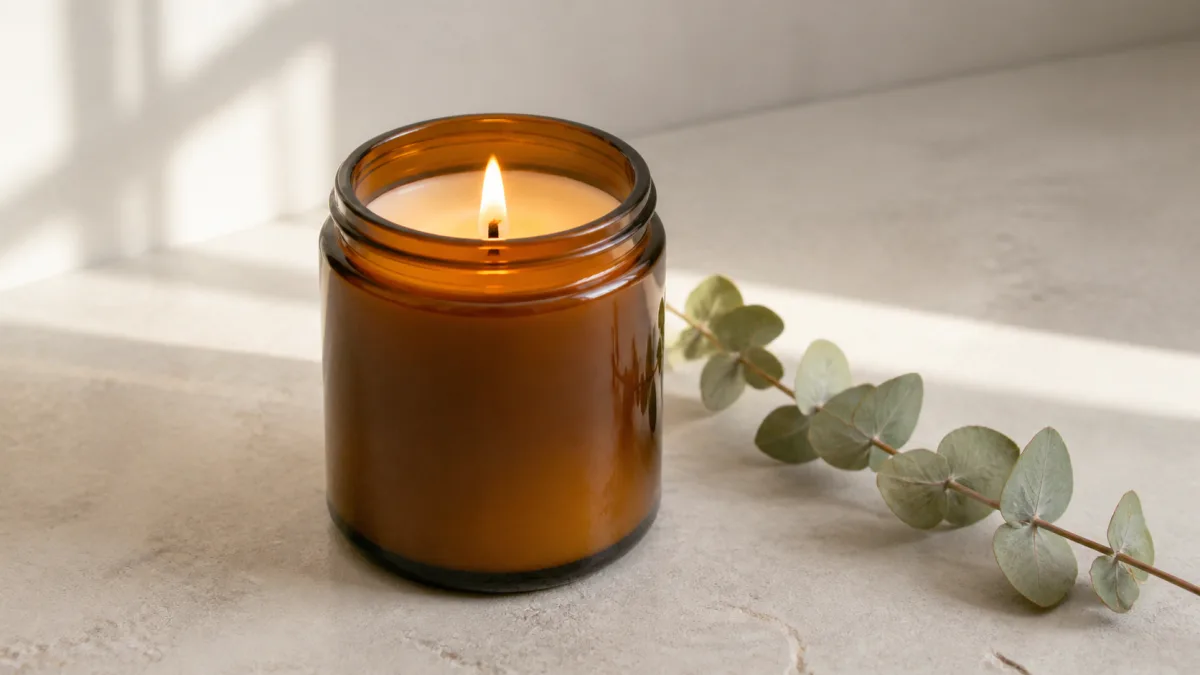
Good AI candle product photography prompts describe more than a scented candle on a pretty table. They protect the jar shape and label, explain how wax and glass should react to light, choose a clear retail use, and limit props to a supporting role. Start from a sharp reference photo whenever the image must represent a real item. Then direct the setting, camera position, shadows, and mood without asking the generator to redesign the product. The framework below helps candle makers create useful concepts for product pages, seasonal campaigns, social posts, and launch moodboards while keeping the candle itself easy to inspect.
Start with the image's commercial job
A candle image for a product detail page needs different decisions from a holiday announcement. Name the placement before choosing a visual style. This prevents an attractive result that cannot fit the intended layout.
- Product-page hero: clear jar, quiet background, believable contact shadow.
- Collection banner: several products, wider crop, room for a heading.
- Social post: stronger mood, tighter crop, clear focal point at phone size.
- Seasonal campaign: restrained contextual props, recognizable product first.
- Scent story: ingredients or landscape cues that suggest the fragrance without overwhelming the jar.
If you are still choosing a direction, browse the image treatments in Showcases, then return to one specific placement.
Record the candle details that must stay true
Before writing style language, list the facts a shopper would use to identify the item. Include vessel color, finish, lid, wick count, wax color, label dimensions, and any distinctive edge or seam. A real label is especially vulnerable because small lettering and spacing can drift during generation.
Treat the reference photograph as the source of truth. Ask the model to preserve the product rather than merely create something similar. If an output changes a fragrance name, jar proportion, or wick arrangement, it is a concept image, not an accurate listing photo.
Direct glass, ceramic, and wax separately
Materials need different lighting instructions. Clear or amber glass should show controlled reflections and visible thickness. Frosted glass benefits from broad, soft highlights. Matte ceramic needs subtle surface texture rather than a plastic sheen. Wax should look solid and gently textured, with a level or intentionally handmade surface.
Describe those properties in separate phrases. "Amber glass with controlled vertical highlights, creamy soy wax with a natural matte surface" is more useful than "luxury candle, realistic materials." A material-led prompt gives the generator observable decisions to follow.
Choose whether the flame belongs in the frame
An unlit candle is usually easier to read as a product. It keeps the label clear and avoids the warm color cast that can spread across the entire scene. A lit candle is useful when atmosphere is the main goal, but it should still have a believable wick, small flame, gentle glow, and exposure that retains jar detail.
Do not combine a bright flame, strong window light, heavy fog, and multiple practical lamps in one prompt. Pick one dominant light source and one supporting source. This keeps highlights and shadows coherent.
Use a compact prop strategy
Props should explain the scent or occasion. For a cedar candle, one small cedar sprig or a textured wood surface may be enough. For a citrus scent, a peel curl can work better than a table full of fruit. A useful constraint is one surface, one background treatment, and no more than two supporting prop families.
Avoid ingredients that imply a formula the product does not contain. Use visual associations as art direction, not as unsupported product claims.
Copy-ready candle photography prompt
Replace the brackets with factual details from your candle and the planned placement.
Use the uploaded photo as the exact product reference for a [vessel color and material] candle with [lid and wick details]. Preserve the jar shape, proportions, wax color, label placement, label wording, logo, and surface finish. Place the candle on [surface] against [background]. Create a [product-page hero / collection banner / social campaign] composition in [aspect ratio], viewed from [camera angle]. Use [main light source] from [direction] with a soft fill that keeps the label readable, controlled reflections on the vessel, realistic wax texture, and a natural contact shadow. Add only [one or two restrained props] to suggest [scent or season]. Keep generous negative space on [side] for layout. Do not add extra candles, invent text, change the wick count, warp the jar, obscure the label, or add a watermark.Open the AI image generator when you want to turn this brief into a visual direction, or paste an adapted version directly into the creation workspace.
Why candle images fail and how to fix them
If the jar appears to float, request a visible contact shadow that follows the main light. If glass looks like plastic, name the glass color, thickness, reflection shape, and the surface it is reflecting. If the wax looks liquid, specify a solid matte wax surface and a defined wick base. If the label changes, move preservation instructions to the beginning, use a sharper source image, and ask for a simpler camera angle.
Overdecorated scenes often come from broad phrases such as "cozy luxury spa." Replace them with observable choices: pale limestone, one folded linen, soft window light from the left, and an uncluttered cream wall.
For amber or clear jars, adapt the workflow for lighting glass and controlling reflections while keeping the candle’s wick count, wax surface, and label protected.
Build variants without losing the product
Change one art-direction variable per round. Keep the source image, camera height, crop, and product-lock language stable while testing a new surface or season. This makes comparisons meaningful and reduces accidental redesign.
For a small launch set, create one neutral catalog image, one scent-led lifestyle scene, and one wider campaign banner. That gives the brand three distinct uses without making every image feel like a different collection.
The small-business product photography workflow shows how to keep those variants tied to one product brief and one visual system.
Pre-publish candle image checklist
- Jar height, width, lid, wick count, and wax color match the source.
- Label words, logo, spacing, and placement remain accurate.
- Glass or ceramic reflections agree with the stated light direction.
- The candle rests on the surface with a plausible contact shadow.
- Props support the scent story without covering the product.
- The crop fits its actual product page, banner, or social placement.
- No invented claims, seals, badges, prices, or extra products appear.
- The full-resolution image has been inspected around the flame, rim, and label.
Write down your immutable product details, choose one setting, and adapt the copy-ready prompt above. Then open Create to generate a focused first concept and refine only the weakest visible issue on the next pass.
Related guides
Browse all ai product photography guidesAI Product Lifestyle Photo Prompts for Believable Scenes
Build lifestyle product prompts around a real customer moment, accurate scale, product-lock details, coherent light, restrained props, and review.
How to Turn a Phone Product Photo into a Studio Image
Prepare a stronger phone reference, write a bounded studio-image prompt, protect product details, and review lighting, edges, labels, and shadows.
A Practical Seedream Product Photography Prompt Guide
Structure Seedream product photography prompts around product facts, scene choices, light, composition, constraints, and a careful review process.
Last updated .