
How to Create Consistent Product Photos with AI
Build consistent AI product photos with a reusable visual standard, fixed reference details, controlled variables, and a practical quality review.
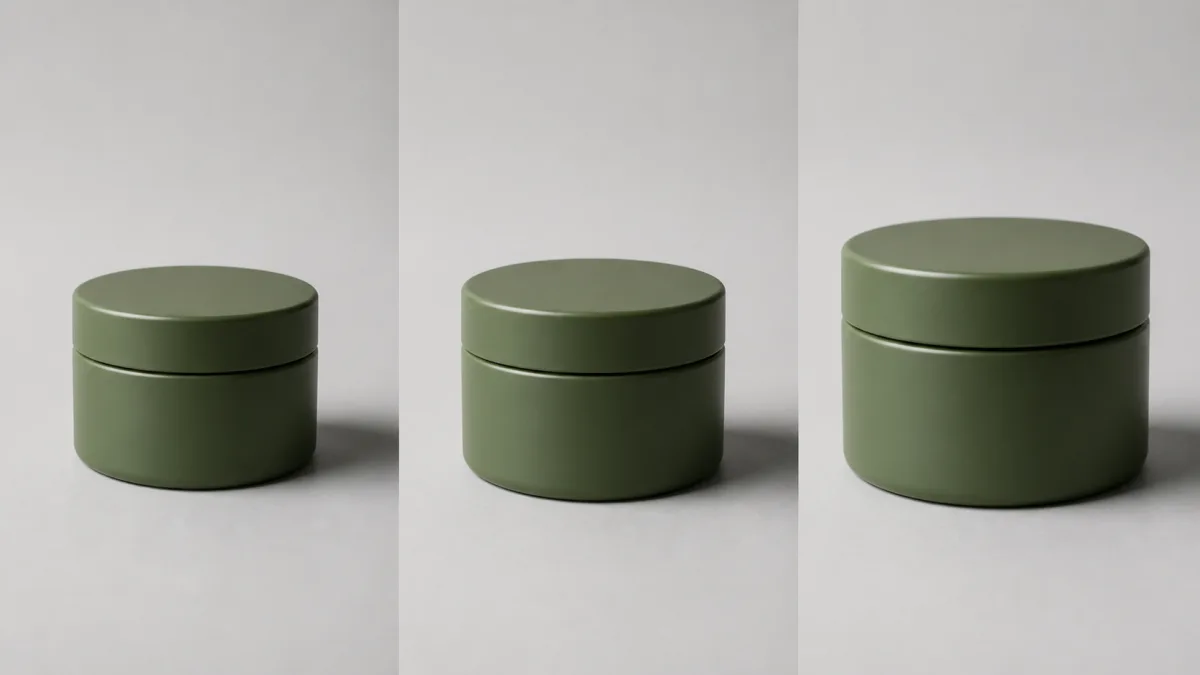
To create consistent AI product photos, define a visual system before generating individual scenes. Fix the background family, camera angle, product scale, light direction, shadow softness, crop margin, color treatment, and output ratio. For each SKU, add a separate identity block that protects its real geometry, materials, colors, label, and variant details. Change only one creative variable when testing alternatives, and compare every result against both the source product and the approved collection standard. Consistency does not mean every image is identical; it means buyers can move through the set without unexplained shifts in perspective, scale, color, or brand mood.
Separate the collection system from product facts
Two documents make the workflow easier to control. The collection system describes what all images share. The SKU brief describes what is unique and cannot change.
Collection system:
- Surface and background color.
- Camera height, angle, and lens feel.
- Product size within the frame.
- Key-light direction and shadow character.
- Crop ratio and safe margins.
- Color treatment and prop rules.
SKU brief: shape, size, cap, material, color, finish, label, hardware, and variant-specific details.
Keep these blocks separate in every prompt so a style decision does not overwrite a product fact.
Choose one anchor image
An anchor image is the approved visual reference for the series. It should demonstrate the desired composition, light, background, product scale, and negative space. The anchor can be an existing photograph or a carefully reviewed generated direction.
Describe the anchor in plain language rather than relying on broad adjectives. "Camera slightly above product height, warm-white paper sweep, broad light from upper left, soft shadow falling right" is reusable. "Clean premium look" is not specific enough to reproduce across multiple images.
Browse Showcases if you need to compare visual directions, then commit to one anchor before building the set.
Lock the variables that affect visual rhythm
Product scale and crop margin often reveal inconsistency before color does. Decide approximately how much of the frame the product occupies and where its visual center sits. Keep the horizon or wall-to-floor transition at the same height when it appears.
Also lock the shadow direction. If one bottle casts left and the next casts right, the collection feels assembled from unrelated shoots. Repeat the main light position and describe the fill rather than asking for generic studio lighting.
Let each material respond honestly
Consistency should not force glass, fabric, metal, and paper to look the same. Keep the shared light setup, but describe material-specific behavior in the SKU block. Glass may need vertical reflections; brushed metal needs controlled directional highlights; matte paper needs soft texture; fabric needs visible weave and natural folds.
The goal is consistent art direction with credible material differences. Overusing a single "glossy luxury" phrase can make an entire catalog look synthetic.
Copy-ready consistency prompt template
Create one image for an established product collection using this fixed visual standard: [surface and background], [camera height and angle], [aspect ratio], product centered at [placement and approximate scale], broad soft key light from [direction], gentle fill from [direction], natural contact shadow falling [direction], neutral color treatment, and [amount] of clear margin. Use the uploaded image as the exact SKU reference. Preserve this product's geometry, proportions, color, material, finish, label, logo, text, cap, hardware, and variant details. Adapt reflections only as required by the real material while keeping the collection lighting unchanged. Add only [approved prop rule]. Do not redesign the product, change camera perspective, shift white balance, invent text, vary the background, duplicate objects, add unapproved props, or add a watermark.Save the fixed block outside the prompt editor so it can be reused without accidental wording drift. You can develop the brief with the AI image generator and apply it in Create.
Build the set in controlled rounds
Start with three representative products: one simple shape, one reflective material, and one complex label or texture. If the system holds across those cases, continue with the rest. If it fails, refine the shared standard before producing a large batch.
Generate in small review groups. Approve background, crop, and light first; then check SKU fidelity. Do not compensate for a weak standard by writing a completely different art direction for each product.
Common consistency failures and fixes
Changing product size often comes from vague framing. Specify camera angle, complete outline, margin, and intended frame occupancy. Background drift occurs when color descriptions change; use the same plain color and material terms rather than rotating synonyms.
If shadows vary, repeat one key-light position and shadow direction in every prompt. If color temperature shifts, remove mood words and request neutral illumination on the product. If labels or shapes drift, strengthen the per-SKU identity block and reduce simultaneous scene changes.
Some materials may still need conventional retouching or compositing. A consistent collection is judged by the final images, not by whether every pixel came from one method.
Create useful variation within the system
A collection can support a catalog hero, detail crop, and lifestyle image while retaining shared cues. Keep color treatment, light direction, and brand surfaces related, then allow the camera distance or context to change for a clear reason.
Document each approved exception. Without a record, exceptions become a second visual system and consistency gradually disappears.
Pre-publish collection checklist
- Every product matches its approved geometry, color, material, label, and variant.
- Camera angle, horizon, product scale, and crop margins feel coordinated.
- Key light, fill, shadow direction, and softness follow the shared standard.
- Background color and texture do not drift between images.
- Material differences look physically credible under the same light.
- Props follow one documented rule and never obscure identifying details.
- Images have been reviewed together as a grid and individually at full resolution.
- The visual standard and any approved exceptions are saved for future products.
Write the six-line collection standard, select three representative SKUs, and open Create. Approve the system on that small group before expanding it into a full catalog.
Related guides
Browse all ai product photography guidesAI Product Lifestyle Photo Prompts for Believable Scenes
Build lifestyle product prompts around a real customer moment, accurate scale, product-lock details, coherent light, restrained props, and review.
How to Turn a Phone Product Photo into a Studio Image
Prepare a stronger phone reference, write a bounded studio-image prompt, protect product details, and review lighting, edges, labels, and shadows.
A Practical Seedream Product Photography Prompt Guide
Structure Seedream product photography prompts around product facts, scene choices, light, composition, constraints, and a careful review process.
Last updated .