
AI Product Photo Lighting Prompts for Realistic Materials
Choose product lighting prompts by material and placement, then control direction, softness, fill, highlights, shadows, and background separation.
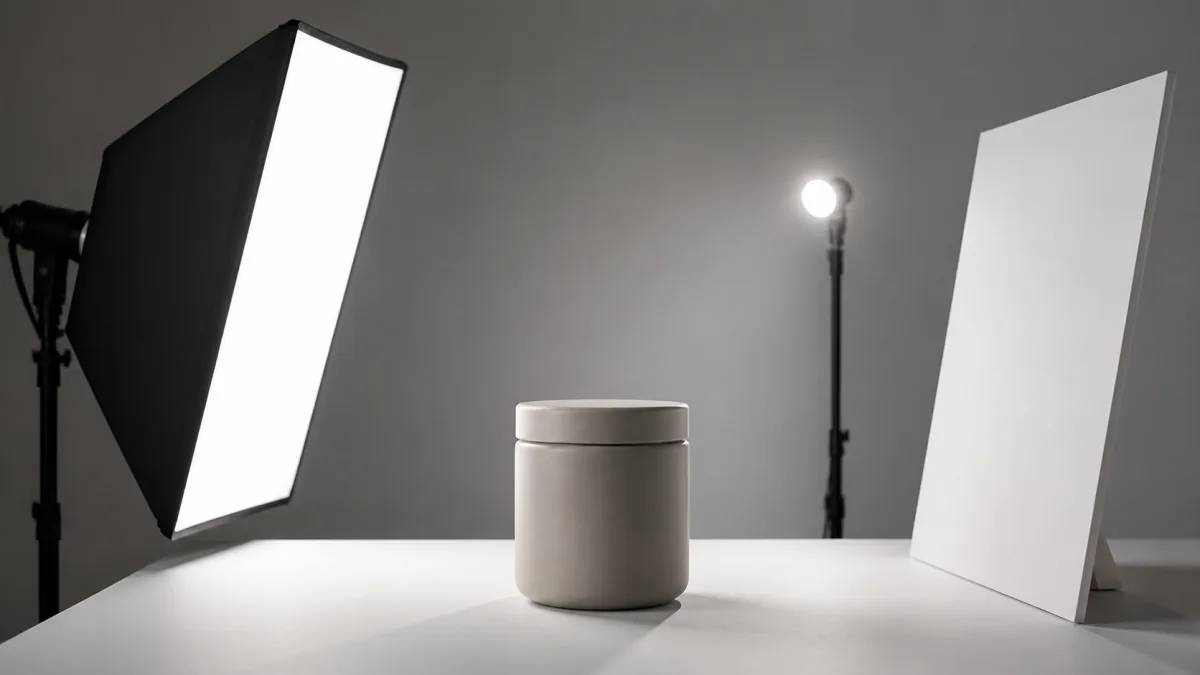
Strong AI product photo lighting prompts identify a main light source, its direction and size, the amount of fill, the desired shadow, and the way the product's real material should respond. "Studio lighting" alone leaves too much undecided. A matte ceramic jar, chrome watch, clear bottle, woven bag, and glossy package all need different highlight behavior even in the same visual style. Begin with the image's commercial placement and an accurate product reference. Then choose one simple lighting setup and describe observable effects rather than stacking dramatic adjectives. Review the output for physical coherence as well as visual appeal.
Begin with one dominant light
A believable image usually has a readable key light. Name where it sits relative to the product: upper left, camera right, overhead, behind, or through a window. Then describe whether it is broad and soft or small and hard.
A large soft source creates gradual transitions and gentle shadows. A smaller source creates crisp highlights and harder shadow edges. Neither is universally better; the right choice depends on the material and intended mood.
Add fill only to solve a problem
Fill light controls how dark the unlit side becomes. Product-page images often need enough fill to retain packaging detail. A dramatic campaign may allow deeper shadow, but the label and silhouette should remain readable.
Use language such as "subtle neutral fill from camera right, two stops below the key" only if that level of specificity helps the brief. Plain language also works: "gentle fill that retains detail without flattening the form." Avoid adding multiple colored fills unless color is a deliberate campaign element.
Match highlights to the material
For glass, describe broad vertical highlights, visible thickness, and controlled refraction. For polished metal, define clean reflected shapes and prevent blown areas. For matte ceramic or paper, ask for soft tonal modeling and restrained sheen. For fabric, use raking or angled light to reveal weave without making the item look dirty.
Material language should appear beside the lighting instruction. Explore material and composition references in Showcases, then build a setup for the actual product rather than copying a look blindly.
Four practical lighting directions
Choose one of these foundations:
- Broad side light: reveals form and texture with a readable shadow.
- High front soft light: clean catalog treatment with restrained depth.
- Backlight plus gentle front fill: useful for transparent or translucent products.
- Overhead softbox: consistent flat lays and multi-product arrangements.
A rim light can separate a dark product from a dark background, but it should support the key rather than create an unrelated outline. State its side and intensity in simple terms.
Describe the shadow as part of the lighting
The prompt should connect the shadow to the key light. Name its direction, softness, and density. A broad source from upper left should create a soft shadow extending to the lower right. A product on a surface also needs a compact contact shadow at its base.
Do not request "no shadows" when realism matters. Ask for a light, clean shadow instead. Removing all shadow can make the object appear cut out or suspended.
Copy-ready product lighting prompt
Use the uploaded product photo as the exact reference and preserve its shape, proportions, color, material, finish, label, logo, and text. Photograph the unchanged [product] on [surface] against [background] for [placement], in [aspect ratio] from [camera angle]. Lighting: one broad [softbox / window] key light from [direction and height], creating [highlight behavior appropriate to material]. Add a gentle neutral fill from [direction] that retains shadow-side detail without flattening the form. Use [optional rim or background light] only to separate the silhouette. Create a natural contact shadow at the base and a [soft / crisp] cast shadow extending [direction]. Keep exposure on the label and highlights controlled. Do not add conflicting light sources, colored spill on the product, blown reflections, impossible shadows, redesigned packaging, extra objects, or watermarks.Use the AI image generator to refine one lighting decision at a time, then carry the final brief into Create.
Why lighting prompts fail
Flat products often come from key and fill being equally strong. Reduce the fill or move the key farther to the side. Plastic-looking metal or glass comes from undefined reflections; specify the size, orientation, and position of the reflected light. Blown labels need controlled exposure and a reflection kept outside the text area.
If the image contains shadows in several directions, remove extra sources and restate one key. If the product color shifts, request neutral light on the product and confine colored light to the background. When texture disappears, move the key to a more angled position rather than adding more sharpness words.
Adapt the setup to the placement
A catalog grid benefits from repeated light and restrained shadows. A launch banner may use a stronger side light and background gradient. A detail image can use closer, more directional light to reveal texture. Keep the product identity and color accurate even when mood changes.
For a series, save the key position, source size, fill level, shadow direction, background tone, and camera angle as a reusable lighting card.
Pre-publish lighting checklist
- One dominant key light is visually identifiable.
- Highlights match the product's real glass, metal, paper, ceramic, or fabric.
- Fill retains necessary detail without removing shape.
- Contact and cast shadows agree with the key direction.
- Labels and logos remain readable without artificial glow or blown glare.
- Product color is neutral unless a deliberate campaign tint is disclosed in the art direction.
- Reflections describe a plausible environment rather than random bright patches.
- The image has been checked at full resolution for haloed edges and duplicated highlights.
Choose one material and one lighting setup from this guide. Adapt the prompt, open Create, and fix the light source before adding props, color effects, or more complicated scenery.
Related guides
Browse all ai product photography guidesAI Product Lifestyle Photo Prompts for Believable Scenes
Build lifestyle product prompts around a real customer moment, accurate scale, product-lock details, coherent light, restrained props, and review.
How to Turn a Phone Product Photo into a Studio Image
Prepare a stronger phone reference, write a bounded studio-image prompt, protect product details, and review lighting, edges, labels, and shadows.
A Practical Seedream Product Photography Prompt Guide
Structure Seedream product photography prompts around product facts, scene choices, light, composition, constraints, and a careful review process.
Last updated .