
AI Food Photography Prompts for Menus and Ordering Pages
Write menu-focused food photography prompts with believable portions, natural texture, useful crops, clean lighting, and accurate dish details.
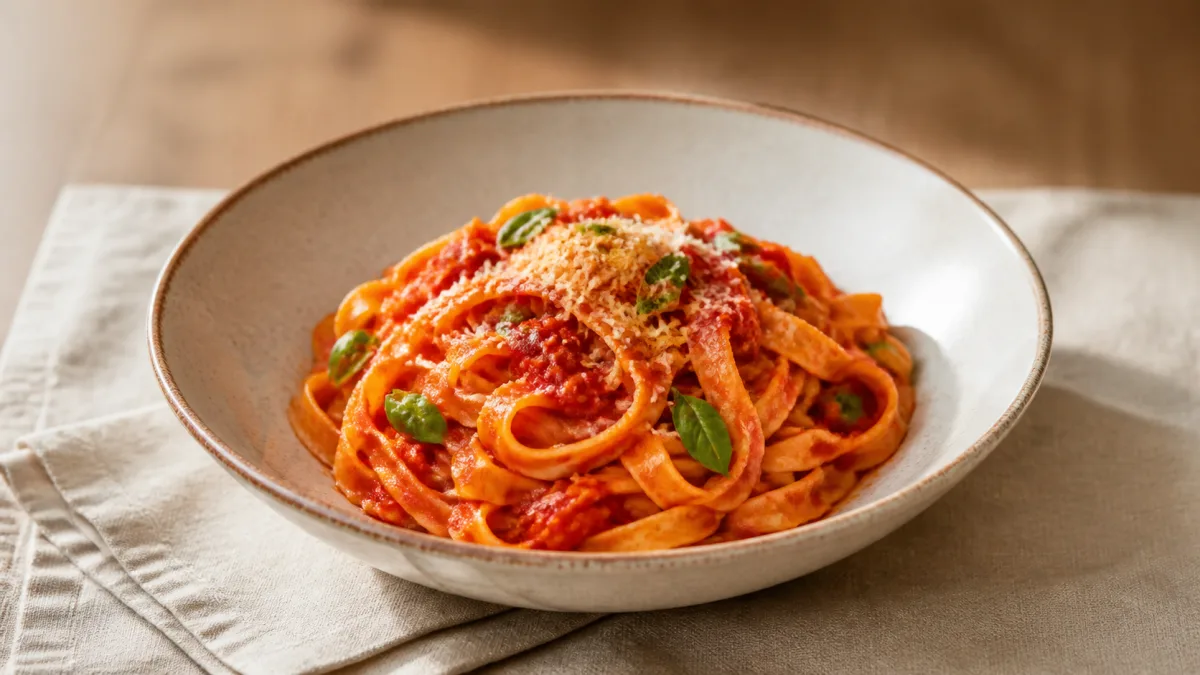
AI food photography prompts for menus should make a dish understandable before they make it dramatic. A useful prompt identifies the exact food, portion, vessel, ingredients that are genuinely visible, camera angle, light source, crop, and the ordering surface where the image will appear. If a real menu item is being represented, begin with a clear reference photo and require the dish's defining details to remain unchanged. AI can help explore presentation, background, and lighting ideas, but every final image should be checked against what the kitchen actually serves. The following workflow keeps appetite appeal connected to accuracy and practical menu design.
Define where the food image will appear
Menu placement controls composition. A square ordering tile needs a simple silhouette and centered subject. A printed menu may use a portrait crop. A website hero can be wider and include a table context, while a delivery thumbnail must remain legible when very small.
Write the destination into the prompt:
- Square dish card: one plate, centered, minimal props, clear edges.
- Horizontal website banner: dish offset with negative space for copy.
- Printed menu feature: controlled overhead or three-quarter view.
- Social announcement: stronger atmosphere but recognizable ingredients.
- Category header: a small group of related items with consistent light.
The Showcases page can help you compare wide, square, and vertical compositions before settling on one.
Build an accurate dish brief
List what makes the menu item identifiable: portion size, plate or bowl, protein cut, sauce color, garnish, side items, cooking finish, and arrangement. Avoid vague shorthand such as "gourmet pasta." Instead describe the actual noodles, sauce, visible vegetables, serving vessel, and final garnish.
If the restaurant has a source photo, ask the generator to preserve those facts. Do not add ingredients simply because they look attractive. A basil leaf, melted cheese, or citrus wedge can change what a guest reasonably expects.
Pick an angle that explains the dish
Overhead views work for flat plates, shared spreads, pizza, pastries, and bowls with readable toppings. A 30-to-45-degree angle reveals height in burgers, layered desserts, drinks, and plated mains. Eye-level views can make a tall item feel substantial but may hide the plate contents.
Choose one angle and describe it plainly. Also state whether the entire plate must remain inside the frame. Unspecified framing often leads to cropped rims, missing side dishes, or a composition that cannot be reused across a menu grid.
Use light to reveal texture, not fake it
Soft side light can reveal crust, sauce, and vegetable texture without flattening the dish. A gentle backlight can show steam or translucency in drinks, but it may make dark food lose detail. Broad overhead light is useful for consistent catalog sets.
Name the direction and quality of light, then request natural shadows. Avoid stacking "cinematic," "golden hour," "neon," and "studio flash" in the same brief. Food usually looks more believable when the lighting story is simple.
Keep styling restrained and relevant
Use the table, napkin, cutlery, or ingredient props to establish context, not to create clutter. One folded napkin and a subtle drink blur may be enough for a dining scene. Keep branded packaging, utensils, and tableware accurate if they belong to the real service experience.
For a menu series, repeat the surface, light direction, plate scale, and camera height. Consistency helps customers compare dishes without being distracted by a different visual language on every card.
Copy-ready menu food prompt
Use the uploaded dish photo as the factual reference for [dish name and concise description]. Preserve the real portion size, plate or bowl, ingredient count, sauce color, cooking finish, garnish, side items, and arrangement. Present it as a [square ordering tile / printed menu feature / wide website banner] in [aspect ratio]. Camera: [overhead / three-quarter / eye level], with the complete serving vessel visible. Lighting: soft [side / overhead / back] light from [direction], gentle fill, natural shadows, and realistic texture without excessive gloss. Set the dish on [simple surface] with only [one or two relevant props]. Keep [side] clear for menu copy if needed. Do not add ingredients, enlarge the portion, change doneness, invent branding, duplicate food, distort utensils, or add text and watermarks.Adapt the bracketed details in the AI image generator, or bring the finished brief to the Create workspace.
Common failures and targeted fixes
Artificial shine usually comes from broad instructions such as "juicy" or "glossy." Replace them with the real surface: lightly brushed sauce, crisp dry crust, or subtle oil highlights. If steam looks like smoke, request faint natural steam visible only above the hottest area. If portions grow, repeat the exact count and size of pieces near the beginning of the prompt.
Mixed cutlery, warped bowls, and floating garnish indicate too many scene elements. Remove props, simplify the angle, and regenerate the composition before adding atmosphere. When a source dish changes materially, do not publish it as that menu item.
Create a coherent menu set
Write a short visual standard before generating a series. It can specify background tone, camera height, shadow softness, crop margin, plate scale, and color treatment. Keep those constants while changing only the dish facts.
A useful set often includes a clean catalog tile and one contextual banner per category. There is rarely a need to turn every menu item into an elaborate lifestyle scene.
Pre-publish menu image checklist
- Portion, ingredients, garnish, sides, and serving vessel match the real dish.
- Cooking finish and color are believable rather than exaggerated.
- No allergen-relevant ingredient has been added or removed visually.
- Plate edges, utensils, fingers, and repeated ingredients are undistorted.
- Light direction and contact shadows agree across the menu set.
- The main food remains clear at the final thumbnail size.
- The crop leaves any planned text area usable.
- A kitchen or brand owner has compared the image with the served item.
Choose one real dish and one menu placement first. Then paste the adapted prompt into Create, review accuracy at full resolution, and fix one visible problem at a time before building the rest of the set.
Related guides
Browse all ai product photography guidesAI Product Lifestyle Photo Prompts for Believable Scenes
Build lifestyle product prompts around a real customer moment, accurate scale, product-lock details, coherent light, restrained props, and review.
How to Turn a Phone Product Photo into a Studio Image
Prepare a stronger phone reference, write a bounded studio-image prompt, protect product details, and review lighting, edges, labels, and shadows.
A Practical Seedream Product Photography Prompt Guide
Structure Seedream product photography prompts around product facts, scene choices, light, composition, constraints, and a careful review process.
Last updated .