
Why AI-Generated Images Get Hands and Faces Wrong—and How to Fix Them
Understand why hands, faces, and small anatomy details break in AI images, then use a practical workflow to repair them without losing the whole composition.
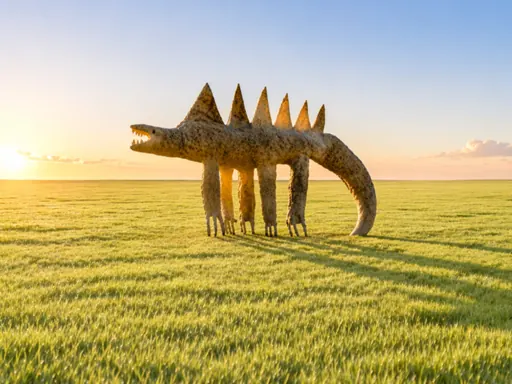
AI image generators can produce convincing lighting, imaginative locations, and polished compositions in seconds, yet a close look may reveal six fingers, fused hands, uneven eyes, duplicated teeth, or a face that changes from one variation to the next. These errors are frustrating because people notice human anatomy immediately. A landscape can contain an unusual rock and still feel believable, but a misplaced thumb makes the whole picture feel artificial. The useful response is not to keep pressing Generate and hope. It is to understand where the model is struggling, reduce the visual problem, and repair the smallest possible area.
Why hands are unusually difficult
Hands have many joints, can rotate in several directions, and frequently cover themselves or other objects. A hand holding a cup may show only part of three fingers, while the thumb appears on another side of the object. In photographs, motion blur, shadows, jewelry, sleeves, and perspective add even more variation. An image model learns patterns from examples rather than building a medical skeleton first, so an uncommon pose may combine several plausible-looking patterns into one impossible hand. Long prompts can make this worse when they ask multiple people to perform different actions in a crowded frame.
Why faces can drift or become asymmetrical
Faces are more common and usually easier than hands, but they still fail when they are small, turned away, partially hidden, or placed near the edge of an image. The generator must coordinate eye direction, expression, lighting, hair, skin texture, and perspective at the same time. If a prompt asks for a wide scene with several people, each face receives fewer useful pixels. Strong stylization can also pull facial features away from natural proportions. Character consistency becomes harder across separate generations because a name such as "the same woman" does not contain a complete visual identity.
Start by simplifying the composition
Before trying an edit, ask whether the original request made the anatomy unnecessarily difficult. Reduce the number of people, bring the main subject closer to the camera, and remove secondary actions that do not support the image. Instead of "four friends cooking, waving, holding glasses, and passing food," begin with one person preparing a dish in a medium shot. Once the central image works, add complexity in a later variation. A simpler frame gives Seedream, Nano Banana, or another image model more room to resolve the details that viewers will inspect.
Describe the pose in physical language
Avoid relying on vague phrases such as "natural hands." Say what the hand is doing and where it is located: "her left hand rests loosely on the table, fingers relaxed and fully visible" or "he holds the mug by its handle with one hand, the other hand outside the frame." For faces, describe camera angle and gaze: "three-quarter portrait, both eyes visible, looking slightly past the camera." Clear physical relationships are easier to follow than a list of quality adjectives. If hands are not important, intentionally crop them outside the composition instead of leaving their position to chance.
Use a reference image when identity matters
A clear reference gives the model information that words cannot efficiently reproduce. Choose a source where the face is well lit and not covered by hair, glasses glare, or deep shadow. For a pose reference, use an image where the arm and hand silhouette can be understood at a glance. Then separate preservation from change in the prompt: "preserve the subject's facial structure, hairstyle, and three-quarter pose; replace the background with a warm studio interior." Do not request a new camera angle, new expression, new wardrobe, and new art style in the same first edit.
Repair a region instead of regenerating everything
When the lighting and composition already work, a full regeneration risks losing the good result. Use an editing or inpainting workflow if it is available. Mask the incorrect hand with enough surrounding wrist and sleeve for the model to understand how the replacement connects. For a face, include the hairline, ears, and part of the neck when necessary. Write a narrow repair instruction such as "replace the masked area with an anatomically correct relaxed right hand resting on the chair arm, matching the existing light and camera perspective." Generate several repair candidates and compare only the edited area first.
Check scale before judging the repair
An image can look correct at thumbnail size and fail when opened at full resolution. Inspect fingers, pupils, teeth, earrings, glasses, and the boundary where repaired skin meets clothing. Then zoom back out and make sure the edit still belongs to the original scene. A technically correct hand may attract too much attention if it becomes sharper or brighter than the face. Matching grain, contrast, shadow direction, and depth of field is as important as matching anatomy.
Know when post-production is faster
Not every defect needs another AI generation. A small background finger, warped button, or duplicated earring may take seconds to remove in a conventional image editor. Commercial work often uses a hybrid process: generate the visual direction, repair local anatomy, add typography separately, and perform a final color pass. This is not a failure of the creative workflow. It is the same kind of finishing used in photography and 3D production, where no single capture is expected to solve every detail.
Use a repeatable quality checklist
Review the image in a fixed order: overall silhouette, face symmetry, gaze direction, shoulder and arm connections, number and direction of fingers, object contact, and small repeated details. Check whether a hand actually grips the object or merely overlaps it. Check whether both eyes share the same light and focus. If the image contains several people, inspect each subject separately. A checklist prevents an attractive color palette from distracting you from an error that will be obvious after publication.
Hands and faces improve when the request becomes easier to reason about. Use fewer competing actions, describe the pose physically, provide a strong reference, and repair only the failed region. The goal is not to force one prompt to deliver a perfect final image. The goal is to build a controlled sequence in which every generation answers one clear visual question and every correction preserves the work that is already successful.
Related guides
Browse all ai reference editing guidesAn AI Inpainting Mask Guide for Clean Local Edits
Plan cleaner local AI edits by choosing mask boundaries, context margins, feathering, protected regions, staged passes, and full-resolution checks.
How to Write Better Negative Prompts for Realistic AI Images
Build concise negative prompts from visible risks while keeping positive direction clear, specific, compatible, and useful for realistic image creation.
How to Fix Unrealistic Reflections in AI Images
Correct mirrors, glass, water, metal, and glossy surfaces by tracing reflected geometry, viewpoint, light, roughness, occlusion, and material behavior.
Last updated .