
Why AI-Generated Videos Flicker, Drift, and Morph—and How to Fix Them
Diagnose temporal consistency problems in AI video, including flicker, identity drift, changing objects, unstable lighting, and unnatural motion.
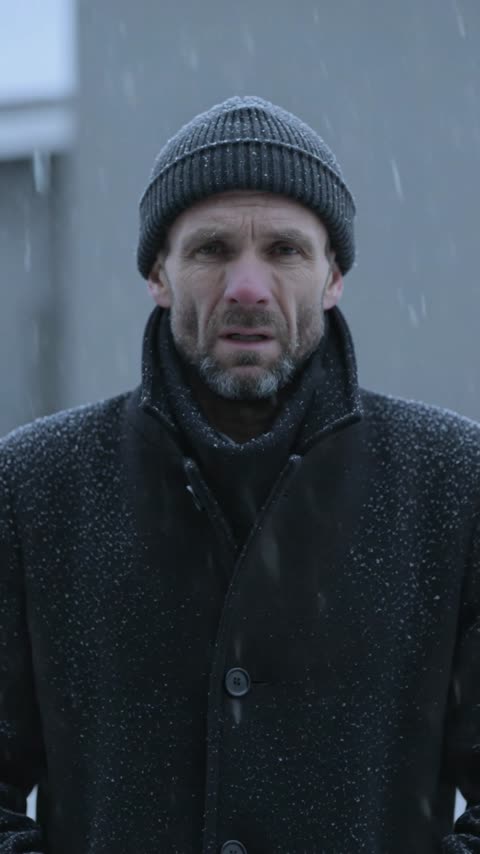
An AI-generated video can look strong in a single paused frame and still feel unstable in motion. A face changes between frames, a product slowly bends, background objects appear and disappear, or the light pulses even though the scene should be calm. These problems are forms of temporal inconsistency: the clip does not preserve the same visual facts over time. Models such as Seedance can produce impressive motion, but results still depend on a clear starting frame, restrained action, and a prompt that does not ask the scene to transform in conflicting ways.
Understand the difference between motion and change
Good motion changes position while preserving identity. A person walks across a room, but their clothing, face, and body remain recognizable. Visual drift changes the identity itself: jacket buttons move, hair length changes, or the room develops new doors. A prompt may accidentally encourage drift when it stacks several transformations, such as changing weather, wardrobe, camera angle, facial expression, and background in five seconds. Decide which elements should move and which should remain stable before you generate.
Use image-to-video for a controlled opening frame
Text-to-video is useful for exploration, but image-to-video gives the model a specific visual starting point. Choose a source image with a clear subject, readable silhouette, and enough space in the direction of movement. Avoid a source filled with tiny repeated objects, complex reflections, or anatomy that is already ambiguous. If a product or character must remain recognizable, make the reference large enough in the frame for important details to survive. The opening image should look like a frame that could naturally begin moving.
State what must remain fixed
Write preservation instructions alongside motion. For a product clip: "preserve the exact bottle shape, cap, label area, material, and frontal orientation." For a character: "keep the same face, hairstyle, jacket, and body proportions throughout the shot." For an interior: "the room layout and furniture remain unchanged." These instructions do not guarantee perfect consistency, but they give the model a hierarchy. Avoid the vague phrase "make it consistent" when you can name the visual facts that consistency requires.
Limit the clip to one primary action
Short clips become more stable when one action dominates. A hand reaches for a cup. Curtains move in a breeze. The camera slowly approaches a stationary product. Problems multiply when the subject walks, turns, changes expression, picks up an object, and exits while the camera performs a fast orbit. Break a complex idea into separate shots. Generate each visual beat independently, then assemble the clips in an editor. Traditional filmmaking uses cuts for a reason: every shot has a manageable job.
Choose one camera movement
Camera motion affects every pixel, so it can amplify instability. Start with a locked camera, a slow push-in, a gentle pull-back, or a simple side track. Avoid combining orbit, zoom, tilt, roll, and handheld shake in one request. State speed and direction: "slow camera push-in, stable horizon" is clearer than "dynamic cinematic camera." If the subject is already moving, consider keeping the camera still. If the product is still, a subtle camera move can provide energy without changing its shape.
Reduce lighting flicker
Lighting may pulse when the prompt includes competing conditions such as sunlight, neon, fire, and fast cloud movement. Choose a dominant source and state that it remains stable: "soft window light from camera left, constant exposure, no flashing." Reflections and transparent materials can also flicker because the model must recalculate them as the camera moves. Use slower motion, simpler surfaces, or a more controlled angle. If flashing is not part of the story, do not add words such as strobe, rapidly changing, or dramatic light transitions.
Prevent background objects from appearing and disappearing
Crowded scenes contain many details that must persist across frames. Simplify the background or reduce depth of field so secondary objects are less prominent. Name important objects and their positions if they must remain. For example: "one red chair remains beside the window; no new objects enter the scene." Repeated patterns such as crowds, bookshelves, tree branches, and city signs are especially difficult. A clean environment often produces a more professional clip than a detailed environment that constantly mutates.
Generate shorter shots and extend selectively
Consistency generally becomes harder as a shot continues. Generate the shortest clip that communicates the action, then evaluate whether it needs an extension. A three- or five-second moment can be more useful than a longer shot with a strong opening and a broken ending. If your workflow supports extending a clip, continue from a stable final frame rather than regenerating the entire sequence. Editors can hold a frame, add a cutaway, or use a transition to achieve timing without forcing the model to maintain one scene indefinitely.
Review the video frame by frame
Watch at normal speed first, then scrub slowly. Check the subject's face, hands, clothing edges, logos, product silhouette, background geometry, shadow direction, and horizon. Listen for the moment when the clip begins to feel wrong and identify what changed. A precise diagnosis leads to a precise revision. "The label bends after the camera passes the front edge" is actionable. "The video looks weird" is not. Save successful prompts and opening images so you can compare one change at a time.
Use editing instead of endless regeneration
A strong clip with a weak final second may only need trimming. Minor flicker can sometimes be reduced with stabilization, interpolation, color correction, or a carefully placed cut. Important logos and text may need to be tracked and added in post-production. AI video generation is one stage of production, not the only stage. Combining a stable generated shot with conventional editing usually costs less time than asking one prompt to solve motion, typography, sound, timing, and brand accuracy simultaneously.
Temporal consistency improves when the scene has clear rules. Start from a strong image when identity matters, preserve named details, request one action and one camera move, keep lighting stable, and prefer several short shots over one overloaded shot. The result may look less chaotic in a prompt, but it will look far more intentional on screen.
Related guides
An AI Inpainting Mask Guide for Clean Local Edits
Plan cleaner local AI edits by choosing mask boundaries, context margins, feathering, protected regions, staged passes, and full-resolution checks.
How to Write Better Negative Prompts for Realistic AI Images
Build concise negative prompts from visible risks while keeping positive direction clear, specific, compatible, and useful for realistic image creation.
How to Fix Unrealistic Reflections in AI Images
Correct mirrors, glass, water, metal, and glossy surfaces by tracing reflected geometry, viewpoint, light, roughness, occlusion, and material behavior.
Last updated .