Useful AI t-shirt design prompt examples define the graphic before they describe the shirt. Specify one central idea, the illustration style, shape hierarchy, color count, line behavior, and the intended print area. Ask for an isolated design on a plain background so the concept can be evaluated without folds or a styled model obscuring it. Printable shirt graphic prompts are starting briefs, not production guarantees: inspect edges, redraw unreliable lettering, confirm ownership of every element, and prepare final separations in appropriate design software before sending artwork to a printer.
Decide what the shirt says at a glance
A wearable graphic usually needs one dominant read from several feet away. Write the concept as a short visual sentence: "sleepy moon operating a tiny late-night radio booth" is clearer than "cool retro cosmic music design." Identify the focal object, action, and mood. Remove secondary ideas that compete with it.
Then choose the visual hierarchy. A central mascot can be supported by a small frame and two accent marks. A scenic badge can have a foreground icon, middle silhouette, and simple background. If every star, flower, tool, banner, and texture is described as important, the generator has no reason to prioritize anything.
Match style to reproducible shapes
Describe visible construction rather than relying only on style labels. Useful directions include thick outer contour, simple interior lines, flat color regions, deliberate halftone only in shadow areas, or hand-cut irregular edges. State whether the graphic should feel clean, weathered, playful, technical, or hand drawn.
Keep the level of detail consistent with the intended print size. Tiny crosshatching, fine hair, and dense micro-textures may disappear or fill in. A bold chest graphic can support more detail than a small pocket mark, but both benefit from clear silhouettes and separated shapes. The printer and process determine final minimum line widths, so request their specifications instead of assuming a universal number.
Limit the palette intentionally
Name the shirt color and select a compact artwork palette that contrasts with it. A two- or three-color concept is easier to assess than an unspecified rainbow. Describe colors by appearance—warm cream, muted brick red, deep teal—and decide whether the fabric itself should act as a color inside the design.
Avoid requesting complex lighting, transparent smoke, glossy reflections, and flat screen-print shapes in the same prompt. If a photographic or painterly result is intended for another print method, treat it as a separate direction. Generate the art on a plain contrasting background first, then test it on a shirt mockup only after the composition works.
Four focused prompt examples
Outdoor badge
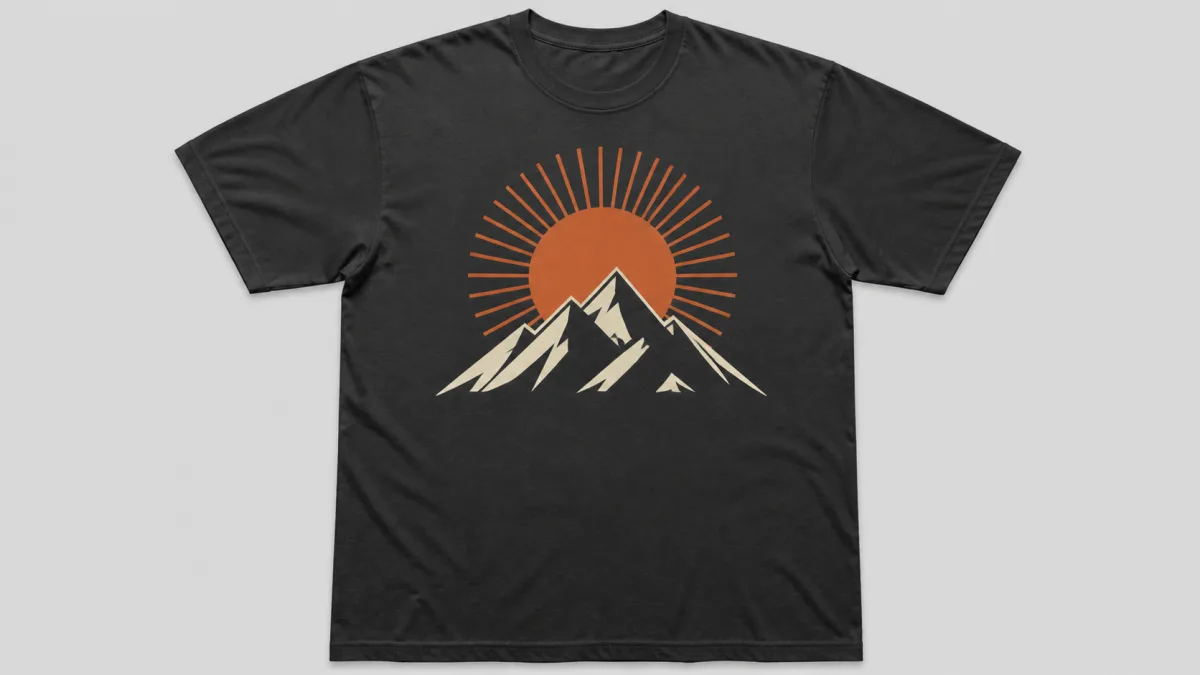
Create an isolated T-shirt graphic of a winding trail leading toward one
angular mountain peak beneath a small rising sun. Compact arched badge
composition, bold outer silhouette, simplified interior shapes, thick clean
linework, and three flat colors: warm cream, rust orange, and dark forest green.
Designed to read clearly on a charcoal shirt. Restrained vintage wear around
outer edges only. No text, mockup, person, fabric folds, gradients, tiny trees,
photorealism, extra peaks, or watermark.
Playful food mascot
Create an isolated chest graphic of a cheerful dumpling character carrying a
small picnic basket, walking with one foot raised. Friendly rounded silhouette,
expressive face, bold black contour, simple interior lines, two-color fill in
cream and tomato red, balanced circular motion marks. Screen-print-inspired
flat shapes on a plain light background. No slogan, letters, shadows, scenery,
extra limbs, duplicate food, shirt mockup, or watermark.
Mechanical emblem
Design an isolated symmetrical emblem built around a vintage hand drill, with
two small leaves forming a restrained frame. Strong vertical center axis,
woodcut-inspired carved lines simplified for a medium front print, solid
silhouette, black ink plus one muted gold accent. No brand marks, text, tiny
hardware, gradients, realistic metal reflections, shirt mockup, or watermark.
Quiet surreal concept
Create an isolated T-shirt illustration of a small doorway standing in a calm
ocean, with one crescent moon reflected directly below it. Minimal surreal
composition, generous empty space, crisp geometric shapes, medium-weight lines,
dark navy and pale silver palette for a sand-colored shirt. No words, people,
complex waves, photographic sky, glow effects, border, mockup, or watermark.
Try one direction at a time in the AI image generator, then compare the strongest silhouettes in Showcases.
Fix common shirt-graphic failures
If the concept looks like a sticker collection, remove supporting motifs and restate one focal silhouette. If thin detail turns muddy, simplify interior lines and preview at actual print size. When the model invents lettering, exclude signs, badges, labels, and words, then reserve a clean type area. Use Create for a cleaner variation before spending time on production cleanup.
Handle lettering outside the image concept
Generated letters can be misspelled, malformed, or inconsistent. If a shirt needs a phrase, generate a text-free illustration with deliberate empty space for it. Set the wording with a licensed font or original lettering in a design tool, then adjust kerning, curve, hierarchy, and outline manually.
For a typographic-only shirt, use generation for rough layout exploration, not final spelling. Verify any phrase, symbol, or cultural reference before sale. Avoid asking for a living artist's signature style, an existing character, a brand logo, or a protected team emblem. Build an original direction from visual properties you can describe.
Move from concept to production artwork
Select a result for composition and redraw or clean it at the required output size. Remove unintended specks, repair tangencies, close shapes that need solid fills, and make line weight consistent. Check the design at actual print dimensions and at thumbnail size. Reverse or adapt the palette for alternate garment colors rather than assuming one file works everywhere.
Ask the printer about accepted file formats, color handling, underbase requirements, transparent backgrounds, and safe printable area. A generated preview does not confirm that separations, resolution, or edge quality are production ready.
Preflight checklist for a shirt graphic
- One focal idea remains readable at a distance.
- The silhouette works before texture and small details are considered.
- Colors contrast with the chosen garment.
- Fine lines and gaps match the printer's requirements.
- Any wording was typeset and proofread outside the generated image.
- No copied logo, character, signature style, or unlicensed asset is present.
- Shapes, hands, tools, and repeated elements have been corrected.
- The final file follows the printer's dimensions and color instructions.
Use these AI t-shirt design prompt examples to explore distinct, printable concepts, then treat the selected image as source material for careful design work. A strong prompt reduces cleanup, but professional prepress and rights review still belong in the final workflow.