
AI Image Prompts for Blog Featured Images That Fit the Story
Write blog featured image prompts that communicate the article idea, reserve useful crop space, match your brand, and stay readable across placements.
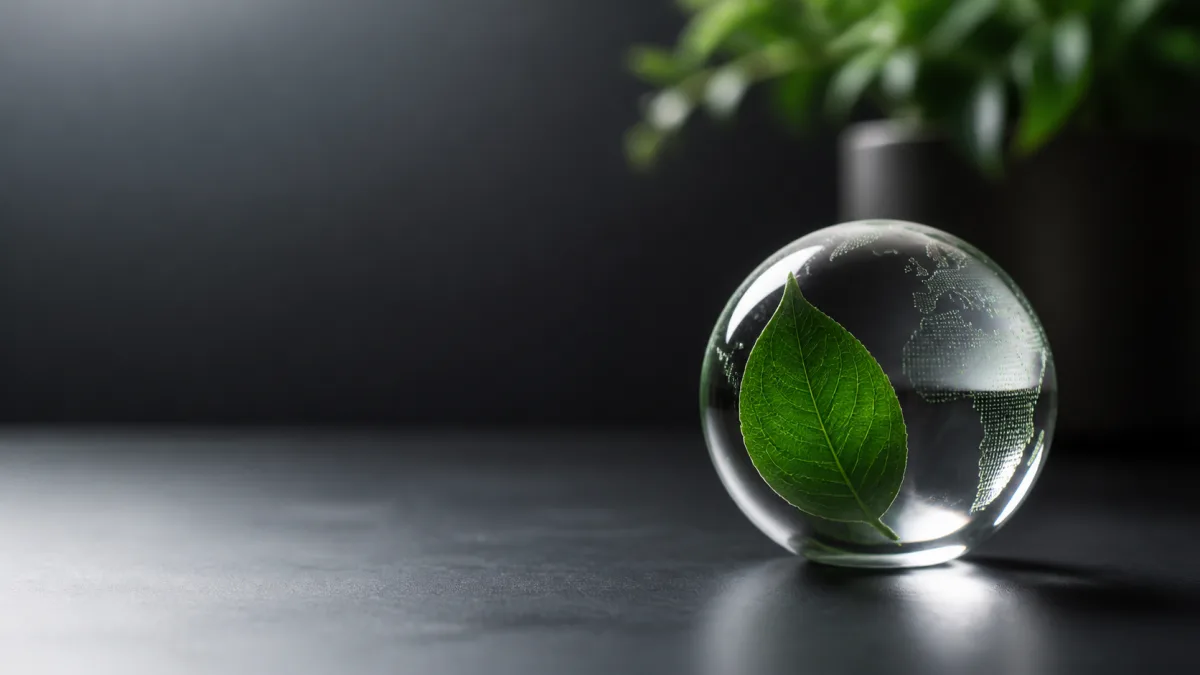
Effective AI image prompts for blog featured images translate one article promise into a simple editorial scene. Start with the reader's problem, choose one visual metaphor or concrete subject, specify the intended crop, and reserve calm space where the publishing layout may place a title or category label. The image should still make sense without embedded words because generated lettering is unreliable and the same asset may appear as a wide header, a card, or a social preview. Define brand colors, light, medium, and mood, but keep the object count low. Generate the visual first, then add accurate typography in your design or publishing tool.
The blog header image prompt examples below turn that approach into a repeatable production workflow.
Reduce the article to one visual idea
A featured image is a signpost, not an illustrated summary of every section. Write a one-sentence article promise before writing the image prompt. For an article about organizing a content calendar, the promise might be "turn scattered ideas into a visible plan." A clean calendar grid with a few movable notes communicates that idea better than a crowded desk full of unrelated marketing symbols.
Identify three elements: the subject, the action or relationship, and the emotional tone. If one element does not support the article promise, remove it. Specific objects usually produce clearer editorial concepts than broad requests such as "an image about productivity."
Match the concept to search intent
Someone scanning search results should see a believable connection between the headline and image. A troubleshooting article benefits from an obvious problem-and-solution relationship. A tutorial can show the end state or a controlled work surface. An opinion piece can use a restrained metaphor, provided it is not so abstract that the topic disappears.
Review composition approaches in the AI image showcases, but adapt the idea to the article rather than copying an unrelated aesthetic. A visually striking image that implies the wrong subject can attract the wrong click and disappoint the reader.
Plan one master crop and two derivatives
Ask for a wide editorial composition with the main subject away from vulnerable edges. Keep important faces, hands, products, and symbols inside a central safe area. Reserve uncomplicated background on one side when the site overlays text, but do not force empty space if the blog template already places the headline below the image.
Plan these deliverables before generation:
- A wide article header with the focal subject clearly visible
- A medium card crop that retains the same subject and visual meaning
- A compact social or feed crop with no essential detail at the edges
- A text-free source file so labels can be added accurately later
Exact aspect ratios and minimum dimensions depend on the CMS and distribution platform, so confirm current requirements before export.
Give the image an editorial art direction
Choose a medium that fits both the topic and the publication: natural photography, paper collage, geometric illustration, dimensional objects, technical diagram, or restrained surrealism. Then define a small palette, light quality, background treatment, and level of detail.
Avoid piling on fashionable adjectives. "Editorial still life, warm side light, muted clay and navy palette, subtle paper texture" gives the generator more coherent direction than "viral, stunning, premium, cinematic, futuristic." If a recurring blog series needs recognition, preserve the palette, camera angle, margin behavior, and texture across every post while changing the subject.
Copy-ready blog featured image prompt
Create a text-free editorial featured image for a blog article about [specific
topic]. Communicate this single idea: [one-sentence reader promise]. Show [main
subject] [performing action or relationship] in a [photographic / illustrated /
collage] style. Use [brand palette], [light quality], and a [mood] tone. Compose
for a wide blog header, place the focal subject in the [left / center / right]
third, and leave calm, low-detail negative space on the [opposite side] for an
optional headline overlay. Keep essential details inside a central crop-safe
area so the image also works as a blog card. Use no words, letters, logos,
watermarks, interface screenshots, clutter, or unrelated symbols.
Use the AI image generator to establish the concept, then move the strongest direction into Create for prompt refinements and alternate crops.
Fix common featured-image failures
If the image feels generic, replace an abstract category word with an observable scene. Instead of "SEO growth," describe a small shop owner arranging a clear trail of topic cards toward a search page. If the image is cluttered, name one hero object and limit supporting props to two.
When there is no usable title space, specify which side must remain quiet and ask for smooth tonal continuity rather than a blank rectangle. If a card crop cuts off the concept, move the subject inward and simplify its silhouette. If generated text appears, repeat "text-free" and add real wording later. When the style overwhelms the message, remove effect words and restate the article promise.
Keep brand consistency without repeating images
Create a short visual system rather than one rigid template. Fix four traits, such as palette, soft shadow direction, paper texture, and generous margins. Allow the subject, metaphor, and framing to change with each topic. This gives the publication a recognizable family without making every card look duplicated.
Save the final prompt beside the article brief. Record what was intentional: subject placement, negative-space side, color values, crop needs, and forbidden elements. That record is more useful for the next writer or designer than a vague note to "make it match."
Featured image delivery checklist
- The visual expresses the article's main promise without relying on generated text.
- The subject remains clear in the article header and smaller card crop.
- Negative space aligns with the actual headline placement in the site template.
- Colors and treatment belong to the publication's existing visual system.
- Faces, hands, products, and symbols are reviewed at full resolution.
- No accidental lettering, logos, watermarks, or misleading interface elements remain.
- Alt text describes the visible image instead of repeating the article title.
- Export size, compression, and crop are checked against current publishing requirements.
Choose one upcoming article and write its promise in a single sentence. Build the prompt around that idea, generate a clean text-free master in Create, and export only the crops your real blog layout needs.
Related guides
Browse all ai creative assets guidesHow to Write a 16:9 AI Image Prompt for a Website Hero
Create wide website hero images with intentional negative space, crop-safe subjects, readable contrast, responsive flexibility, and clear brand direction.
How to Write AI Image Prompts You Can Actually Refine
Build AI image prompts in clear layers, compare useful variations, and revise one visual decision at a time instead of starting over after every result.
How to Use an AI Image Generator: A Beginner Workflow From Idea to Final Asset
Make your first AI image with a copyable prompt, step-by-step workspace instructions, and a checklist for fixing framing, text, and reference-image errors.
Last updated .